
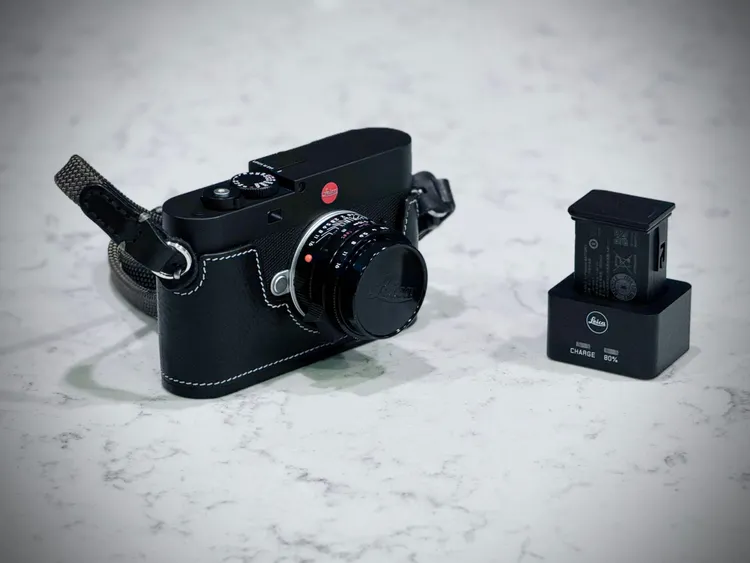
We photographers can be an odd bunch at times. In the film days I remember loading film to squeeze one more frame out of a 35mm roll. Today, I want to squeeze out every extra frame I can with the battery! I’ve come up with a few ideas for stretching out the EV1 battery life.
After 9 weeks with the EV1 I have found that not only does the battery last a long time in the outdoors, but I only need to carry one spare. To be fair, I have not yet shot for an entire day in freezing weather and cold weather work sucks the life out of batteries. Yet, for cool weather use I have still been able to shoot for a day with one battery.
Yes, I’ve ended by dinner time with 5%, which is why I carry a spare battery fully charged. But carrying spares is important when out shooting images. I also keep a spare SD card, several lens cloths and a wet Zeiss lens cleaning pad or two. I’ve filled up the internal memory on the EV1 more than once over a multi-day period and more memory is a must for this camera. I’m sure Leica has already received that feedback, and hopefully that will happen in the future.
Back to batteries. Here are ways I lengthen my battery life in the EV1.
The Number One Battery Drain
The LCD is the number one battery drain that can be addressed. This makes sense and is also one of the reasons I have loved shooting the “D” models of the Leica M system (M-D 242, M10-D). Without the LCD I know there is less power drain on the entire system.
However, the EV1 has this EVF built-in along with the LCD. This means controlling how the LCD is used makes a bigger difference in battery life. I have found two LCD settings extend my battery life.
Using the EVF over the LCD
First, using the EVF and LCD together will determine how often the battery draining LCD turns on. I have found using EVF Extended gives me the best trade-off of using the LCD for menu items and the EVF for shooting. The extended mode shows the focusing and shooting modes only on the EVF with menu items only on the LCD. This makes sense for me because I normally have the camera pulled away from my eyes when changing menu items.
If you really want to scrimp on LCD usage and squeeze every last drop of battery life from the system, use the EVF only setting. This shows everything, including the menu, on the EVF and nothing on the LCD.
To change how the LCD and EVF interact, go to Display on the main menu, then EVF <> LCD and make your selection (from page 61 in the Leica EV1 manual). Notice I did not mention where the auto preview of your last image shows. That is intentional and leads us to the next battery saving idea.
Image Preview Control
Second, I have the Auto Preview in the main menu adjusted to Shutter Button Pressed (from page 132 in the Leica EV1 manual). I know I can stop shooting at any time and press the Play button to review any images I want on the LCD, but I do not want every image to show on the LCD.
Having auto review set to any length of time or even Permanent means the system is busy showing me an image, spending precious battery charge spooling up the LCD when most of the time I don’t even stop to look at the image!
Using Shutter Button Pressed I can do one of two things. I can press the button to take an image, immediately release the shutter button, and nothing happens. Instead, I could also press the shutter button to take an image and hold it down afterwards. By doing this, the EVF will show a preview of the image I just took. Releasing the shutter button clears the image, bringing the EVF back to live view.
This method gives me full control of when and how long I use the battery for reviewing images while still allowing me to see a preview just after taking the shot!
Power Saving Mode?
The power saving mode, or Standby Mode, will arguably save even more battery life. The problem is that different users want different standby modes. I suggest that this is a more personal setting. In reality, the more often you press the shutter, the less the camera goes into standby anyway. The less often you press the shutter, the more important power usage is between shots.
I use 5 minutes as a standby. I figure if 5 minutes has gone by without taking an image, then either I put the EV1 in my camera bag without shutting it off, or I’m doing something else and I can easily wake it up when I’m ready. I have no real recommendation here except that putting the camera standby on Off and taking very few images will drain the battery! Pick one and try it out, shortening or lengthening the standby time if it gets in your way!
The Camera Standby menu is under Camera Settings in the Main Menu, and then Power Standby Mode. This is found on page 59 of the EV1 manual.
Conclusion
The battery life determines how long we can shoot with a digital camera. The EV1 inherently uses more battery than a rangefinder, making efficiency a good idea. Luckily, a couple of settings can improve battery life regardless of your style of shooting.